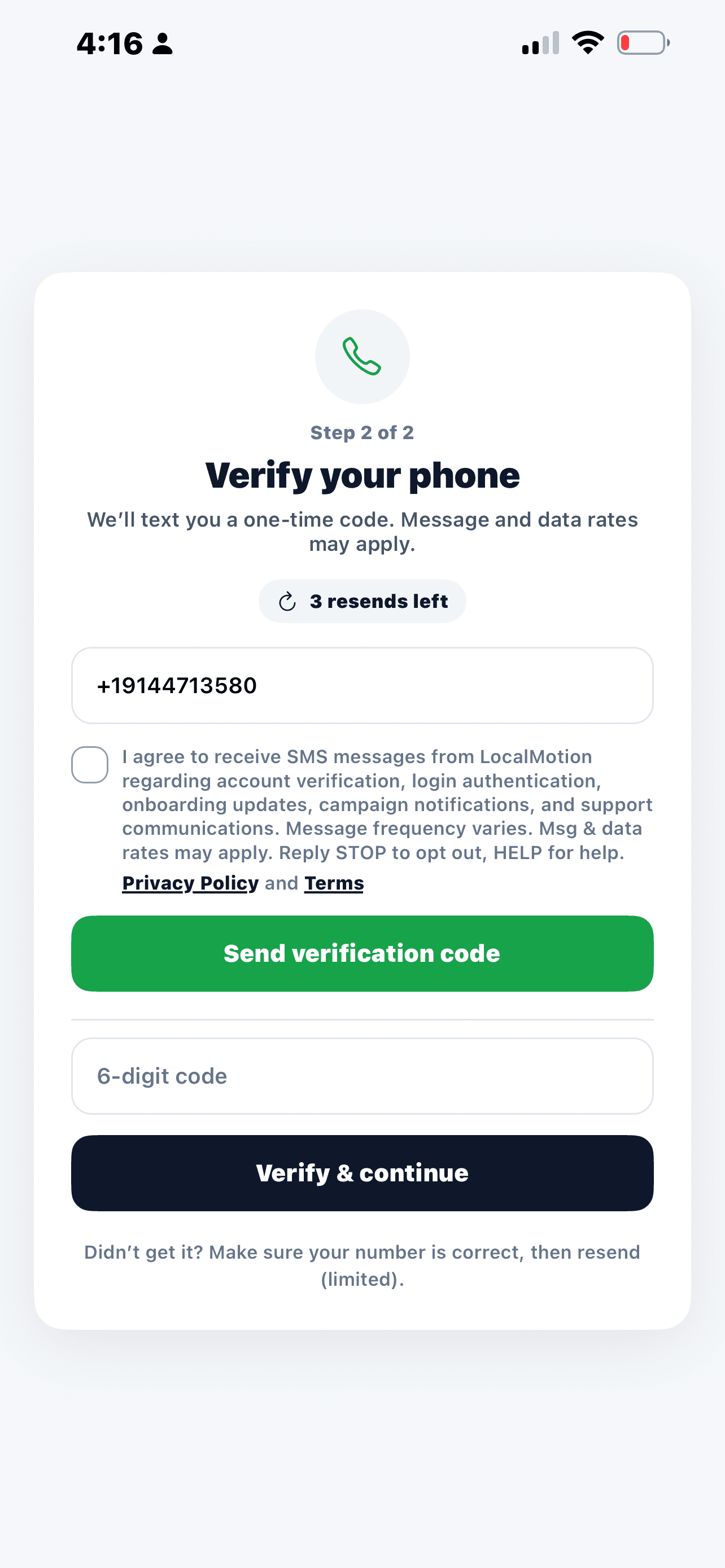
Before any SMS verification or authentication message can be sent, the user must manually select the SMS consent checkbox shown above. The checkbox is unchecked by default and requires active user action before the “Send Code” or “Resend Code” button will function.
If the checkbox is not selected, the application blocks the SMS request and no message is sent.
This ensures LocalMotion collects explicit user consent prior to sending any SMS authentication or verification communications.
Message frequency may vary. Message and data rates may apply. Users can reply STOP to opt out or HELP for assistance.
Policies
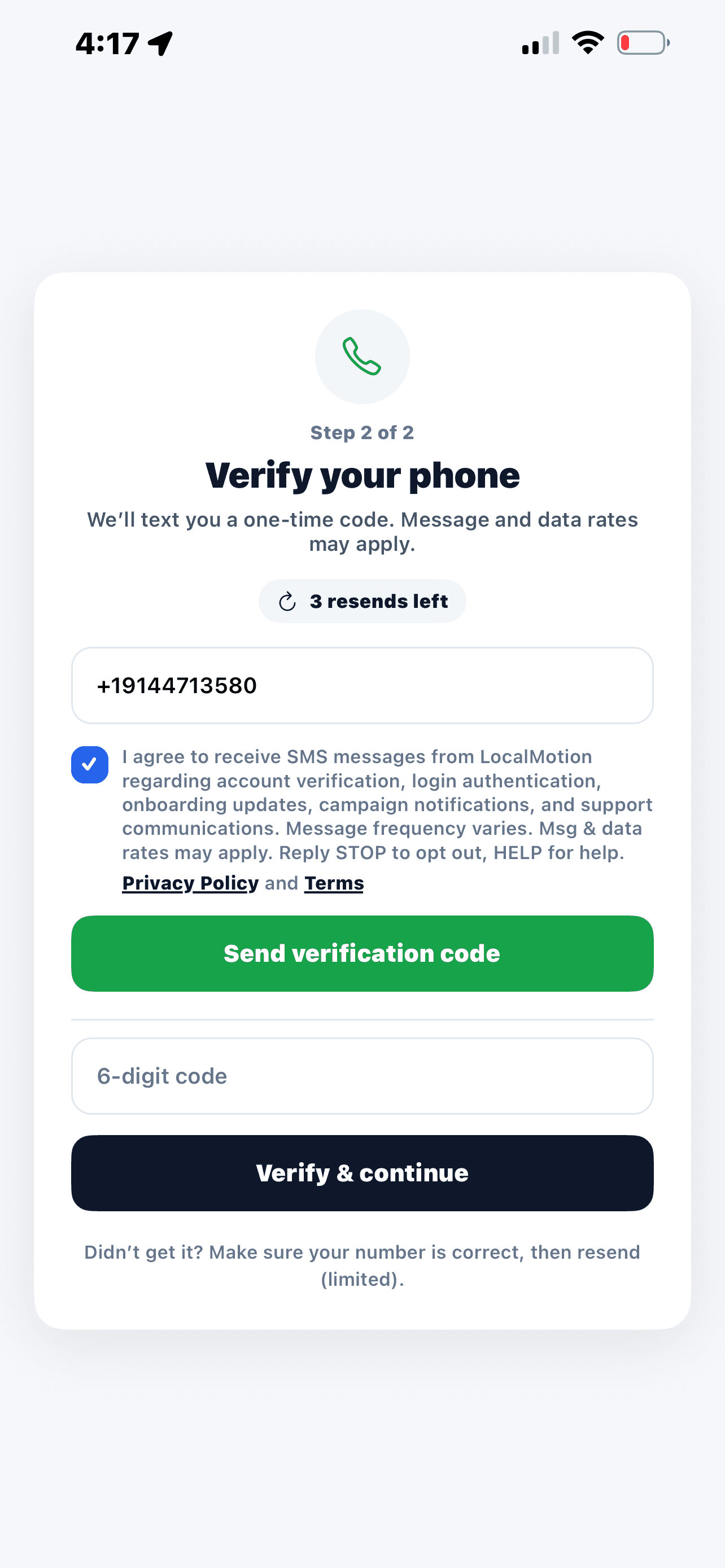
Screenshot showing SMS consent checkbox selected, allowing the verification SMS to be sent.
Screenshot showing unchecked SMS consent checkbox prior to SMS verification request.
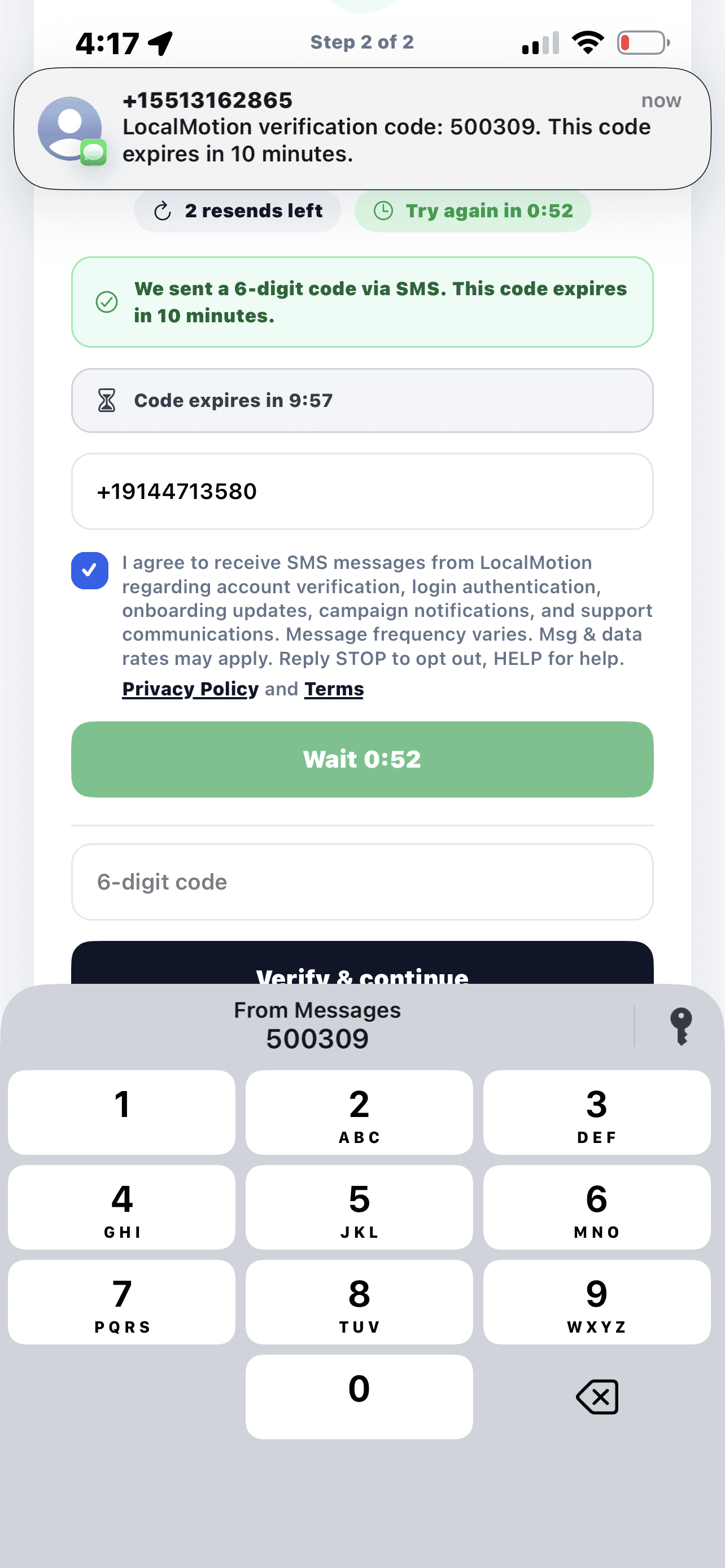
Screenshot showing SMS being sent to the user's phone.
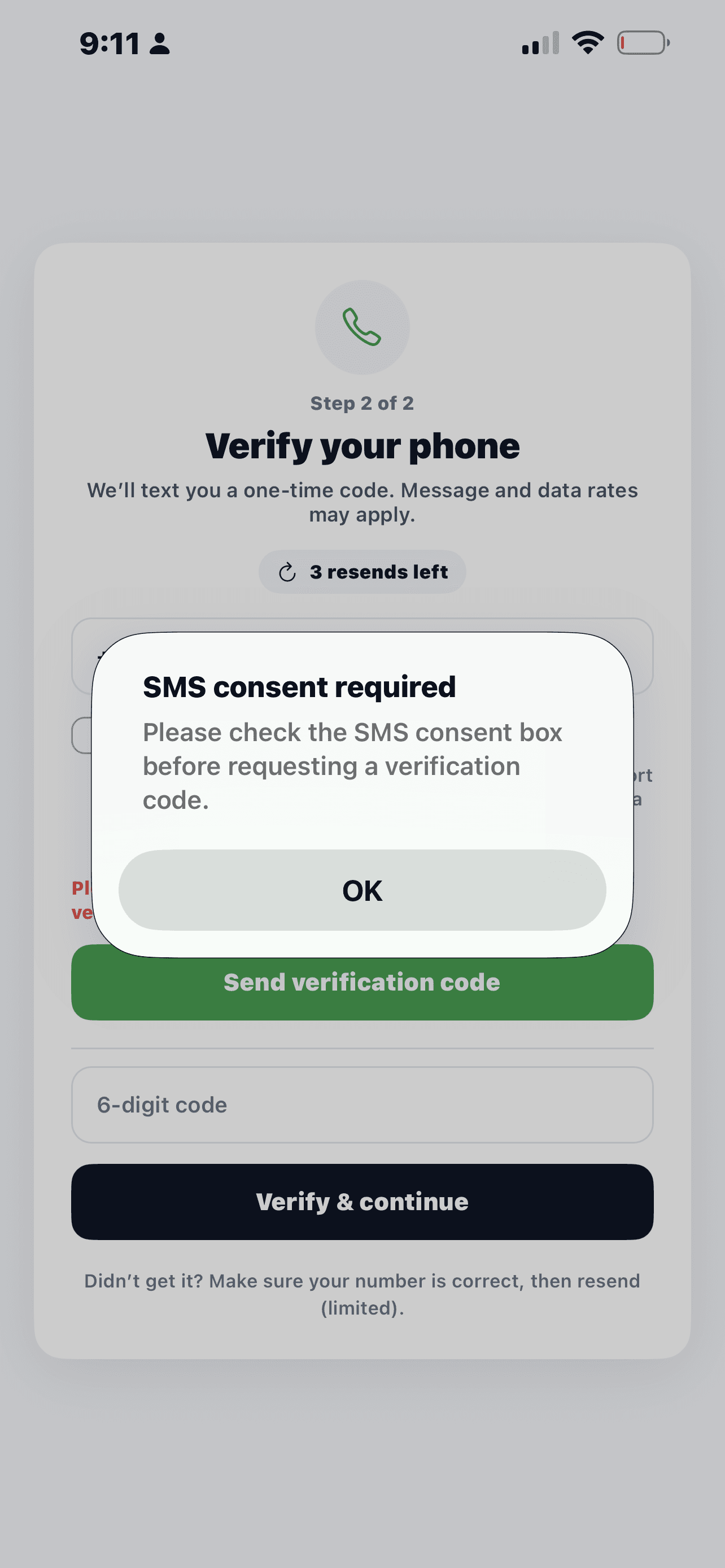
Screenshot of the error pop-up message that occurs when a user trys to send the SMS without checking the SMS consent checkbox